
'No More Radars': Tesla Driver Shows Off 'Cop Mode.' Is It Legal?
“This cannot replace radars."
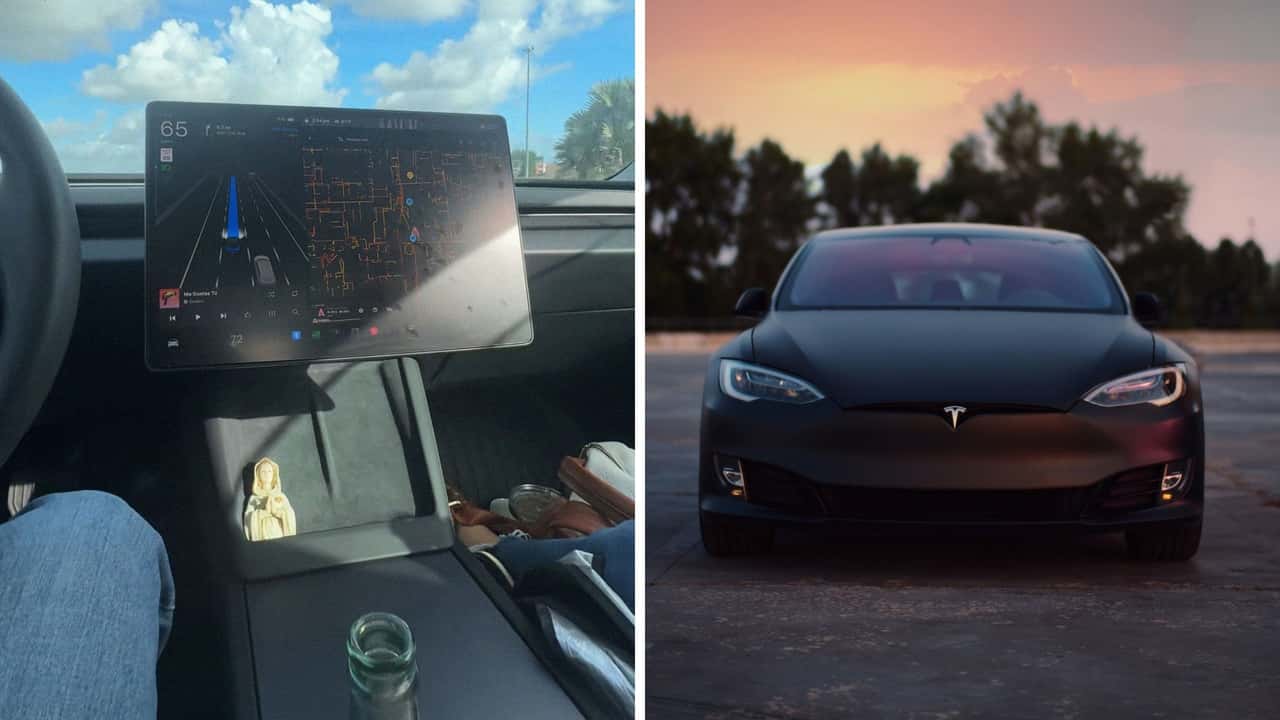

A Tesla driver garnered interest from drivers on social media after showing off what looks like police scanning functionality on his EV’s cabin display. TikTok user Jesus (@jevelco) posted a viral clip of the software in action, which prompted a wave of comments from other folks on the app. As it turns out, the “application” on his Tesla is actually one of several web browser solutions. But are they a reliable traffic-monitoring tool?
At the onset of his clip, Jesus records himself driving with his camera directed at the EV’s large infotainment screen. At first glance, it’s an image anyone who’s ridden inside of a Tesla will recognize: an animation of the car driving down a road. However, a map with detailed street information to its right shows flashing red and blue lights.
Accompanying his video is “Sound of Da Police” by KRS-One. The imagery, combined with a brief caption appended to the video indicates the functionality Jesus was able to obtain in his ride. “No more radars, this browser tells you,” he says.
Tesla Cop Mode?
Commenters who replied to his clip explained that this functionality isn’t an official application offered by Tesla’s software engineers but rather, a third-party browser solution drivers can engage that scans local areas and lets drivers know where police are in the area.
“Go to Teslanav.com on your browser in your Tesla,” one person on the app wrote in response to the clip. According to TeslaNav’s official website, the application is a web browser based solution that offers “Waze alerts for Tesla” as well as the locations of “police, speed camera, and traffic.”
Owners who’ve attempted to access web pages while in their vehicles have expressed middling results when their Teslas are in drive. Reddit users in this r/TeslaLounge post said only specific websites were available for perusal during their commutes.
Notably omitted were video streaming sites such as YouTube. After all, checking your favorite content providers’ latest clips while cruising on the highway sounds like a recipe for an accident.
FROM THE TRENDING NEWS DESK
Viral bits from across the social media landscape
Our team of experts tracks what's trending so you don't have to—from viral videos to online debates that have everyone talking.
Commenters on this Tesla Owners Online post also stated that they experienced difficulties using their web browsers while driving. One user said Teslawaze started only working intermittently after they updated their car’s software. Sometimes, the app failed to update traffic information, and in other instances, it would populate information slowly.
TeslaNav Creator Explains The App
The TeslaNav application was created by YouTuber Ryan Vogel. Folks on this Cybertruck forum posted about the software, which, like Jesus mentions, provides “Waze-style navigation” and “pulls live Waze reports.”
Vogel discusses the app in a video, explaining that after a day of Black Friday shopping with his girlfriend, he was left frustrated with the lack of scanning and traffic update options that popular phone apps like Waze come outfitted with.
He recalls saying to himself, “I really wish there was a better way to get Waze and that sort of infographic on the Tesla browser infographic screen.” This prompted him to create the software that worked natively on Tesla’s display.
Commenters Sound Off
Folks who replied to Jesus’s video reported issues when attempting to use TeslaNav on their car’s browser. “It keeps shutting down when I drive,” one wrote to the agreement of others.
One user said TeslaNav didn’t work for them at all. Others seemed familiar with the app and said it functioned properly for them.
However, there were some who speculated that Jesus knew the solution was a finicky one and uploaded the TikTok clip as a means of getting views. “This cannot replace radars. Click bait. That's why he doesn't reply,” they stated.
If you’re wondering about the legalities of police scanners, you may want to check your state’s rulings on outfitting your car with one of them. The H&P Law firm writes that “scanner restrictions are governed by state and not federal law” and that these restrictions generally prohibit “the use of a police scanner while driving and the use of a police scanner in furtherance of a crime.”
That is, if you are caught speeding and use a police scanner to try and hide from the police, you could be in trouble.
The firm says mobile apps that claim to scan for police typically fall under the same laws physical scanners do.
InsideEVs has reached out to Tesla and Vogel via email and Jesus via TikTok direct message for further comment.
RECOMMENDED FOR YOU

Tesla Apparently Won't Let Cybertruck Buyers Transfer FSD Without Spending Another $20k
The Rivian R2 Is Finally Here. The CEO Just Shared When To Expect More Models
This Tesla Model 3 Went Nearly 400 Miles In A Range Test, 30 More Than Its EPA Rating
'I Want To Own It': What Engineering Explained's Jason Fenske Thought Of The Rivian R2
Teslas Are More Likely To Hit 250,000 Miles Than Almost Every Car Brand
The Electric BMW M3 Is Coming. Here's What It Might Look Like
The Best EV Lease And Finance Deals In June 2026