
How Does Tesla's Summon Feature Work?
The EV manufacturers says that owners only use the Summon feature when their car is in a clear line of sight.
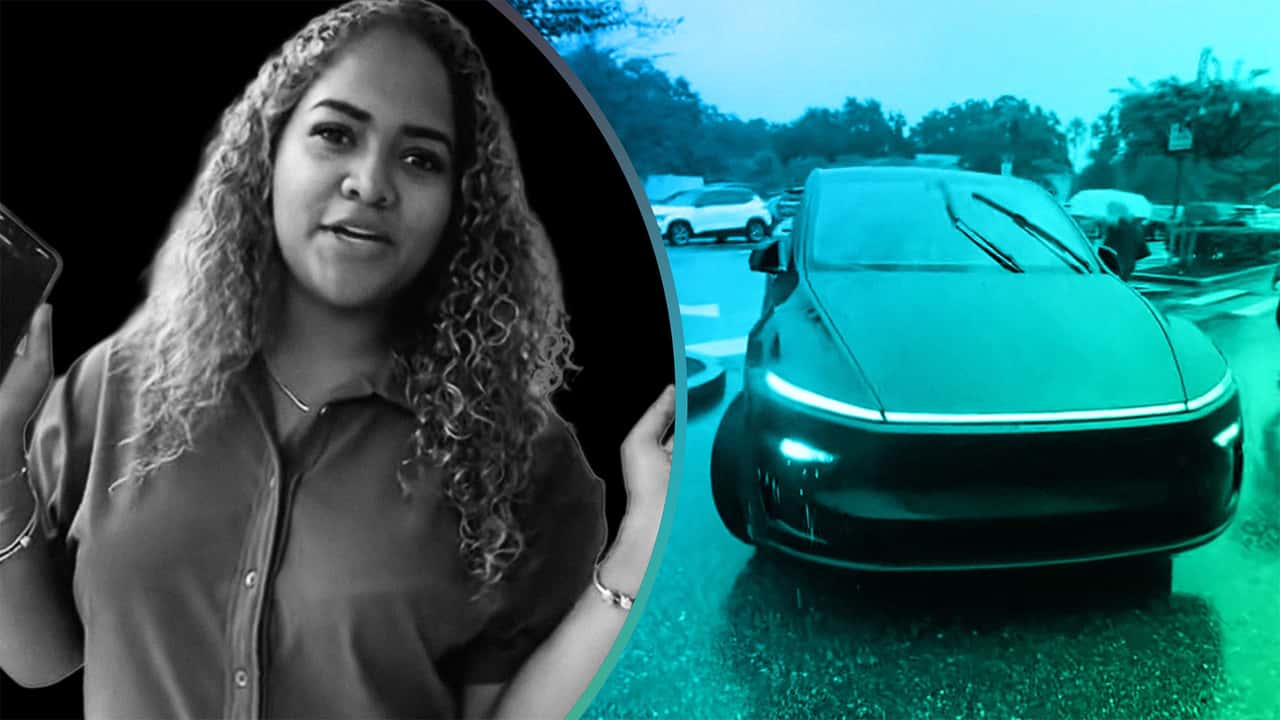

Tesla markets its cars as being among the only ones that can autonomously be "summoned" to your location, making parking a cinch and acting as your personal valet. But how does it actually work, and how are you supposed to use it?
TikTok user Brianna (@briannnaaaab) demonstrated how its Smart Summon technology can help someone avoid getting caught in the rain. However, as many pointed out, the "Come to Me mode" feature didn’t exactly work without a hitch, and she still had to run out toward her car.
Brianna’s video begins with her holding her smartphone in one hand and a plastic shopping bag in the other. “We are at TJ Maxx. And the car is over there. It’s raining, and we want to call the car. We’re gonna go to Summon on the Tesla app and press Come to Me. It’s connected. You literally just hold it down,” she says.
At this point in the video, the action being captured on camera is sped up. She points to the Tesla vehicle in question emerging from its parking spot. The black Model Y begins steering itself toward the front of the store. A group of pedestrians walks in front of the car and the driverless, moving EV comes to a complete stop.
Following this, the vehicle’s hazard lights come on, and Brianna walks out in the rain along with the person recording the video. They then plop themselves inside the car and the clip comes to a close.
Commenters Sound Off
Numerous folks thought her Summon demo was a failure. “The car did not come to you it illegally pulled up on the curb blocking the roadway. It should have [driven down, made a U-turn,] pulled up in front of you,” they said.
Another expressed that they were timid about ever trying to use this type of functionality with a vehicle. “Just seems like a liability to me for the owner of that vehicle, imagine explaining to the cops or someone’s family how YOU told your vehicle to drive to you with absolutely no one in it and ended up hitting someone sigh,” they remarked.
FROM THE TRENDING NEWS DESK
Viral bits from across the social media landscape
Our team of experts tracks what's trending so you don't have to—from viral videos to online debates that have everyone talking.
One commenter said Brianna’s still trying to learn how to properly use Tesla’s Summon feature. “For all of you coming for me in the comments she doesn’t know how to operate it correctly either as indicated by the video she’s still learning the technology as well as you can see,” they remarked.
How Tesla’s Summon/Come to Me Feature Works
There are several guides and other examples uploaded online of folks utilizing the EV manufacturer’s summon technology to bring their cars right where they’re standing. First, you’ll have to make sure that the Tesla mobile application has been installed on your device and the car you’re driving is linked to the app.
Now Trending
Additionally, you’ll have to ensure that this functionality has been enabled under your Tesla’s Autopilot features. Once it is, navigate to the Summon option and tap it. Then, you’ll need to position yourself correctly for the Come to Me feature to adequately work, moving your body until you’re standing within the blue circular area indicated on the map shown in your Tesla mobile application.
Similarly, you can put a pin down for the Go to Target option, which can summon your vehicle to meet you at a different destination. This could be handy for having your car travel to a less-crowded area.
With both Come to Me and Go to Target, you press and hold on the dialog boxes to enable the car to start moving. You should see the car begin to move toward its target.
Once you release the button, the car comes to a stop, allowing you to hop inside as you normally would and be on your merry way.
Tesla’s Owner’s Manual
Tesla’s website instructs drivers to go to “Controls > Autopilot > ASS (Actually Smart Summon)” before they plan on using the summon option. The instructions say the summoning feature is limited to 279 feet (85 meters) of range and that drivers should always have a clear line of sight to the vehicle when utilizing it. Additionally, the car’s pressure for all tires needs to be at 34 psi or higher, and its cameras should be properly calibrated.
Tesla also indicates that there’s a difference between Dumb Summon and Actually Smart Summon. The former, which is used to only move a Tesla in and out of a parking spot, has amassed avid fans, like the YouTuber TechGeek Tesla, who says that he uses it almost every day when leaving the gym. He abides by three basic rules when he's using the feature.
First, he says people should “know [their] environment” whenever they’re calling their car to them or a pre-selected destination. This is to ensure they’re operating the driverless vehicle safely and not creating a potential traffic jam or remotely piloting their vehicle through an area that’s densely packed with pedestrians. This goes hand in hand with his second rule, which is to not abuse the features in a way that’ll frustrate other drivers. His third rule is to always be ready to take control of the car.
This speaks to Tesla’s own recommendation that owners only use the summon feature whenever their car is in a clear line of sight. This way, if their car is stuck or needs to be moved out of an area manually, drivers can be quick to hop inside of their car before it causes issues for pedestrians or other drivers.
Tesla Summon Woes
Some drivers have reported less-than-smooth experiences while using Summon. This driver on the Tesla Motors Club said that their car scratched itself on the way out of their garage, causing damage to the vehicle’s fenders. Another driver on the same forum said their Tesla hit another car after they enabled auto park.
After notifying Tesla about the incident, they asked for a Full-Self Driving (Supervised) $59 monthly credit, but the automaker stated the driver was ineligible as “the customer is always responsible for controlling the vehicle while using Autopark (or Autopilot/Summon).”
InsideEVs has reached out to Brianna via email for further comment.

RECOMMENDED FOR YOU

Who's Winning The Robotaxi Race? It's... Complicated
License Plate Cameras Are About To Start Tracking A Lot More Than Just Your Car
The Rivian R2 Is Just As Efficient As A Tesla Model Y, Despite Weighing More
The New Chevy Bolt Was Driven Until It Died. Here’s What Its Battery Buffer Looks Like
Tesla Owners Are Using Doll Heads To Fool Full Self-Driving
Dacia’s Tiny EV Keeps Its Name, But Not Much Else
Full Tesla Cybercab Specs: EPA Documents Confirm Battery Size, Weight, Power, And Preliminary Range