
'Is It Something I Can Change In The Settings?': Woman Buys Hyundai Ioniq 5, Realizes She Can’t Stand This Feature
Want to leave the air conditioning running while briefly stepping away from the car? With the Hyundai Ioniq 5, it's complicated.
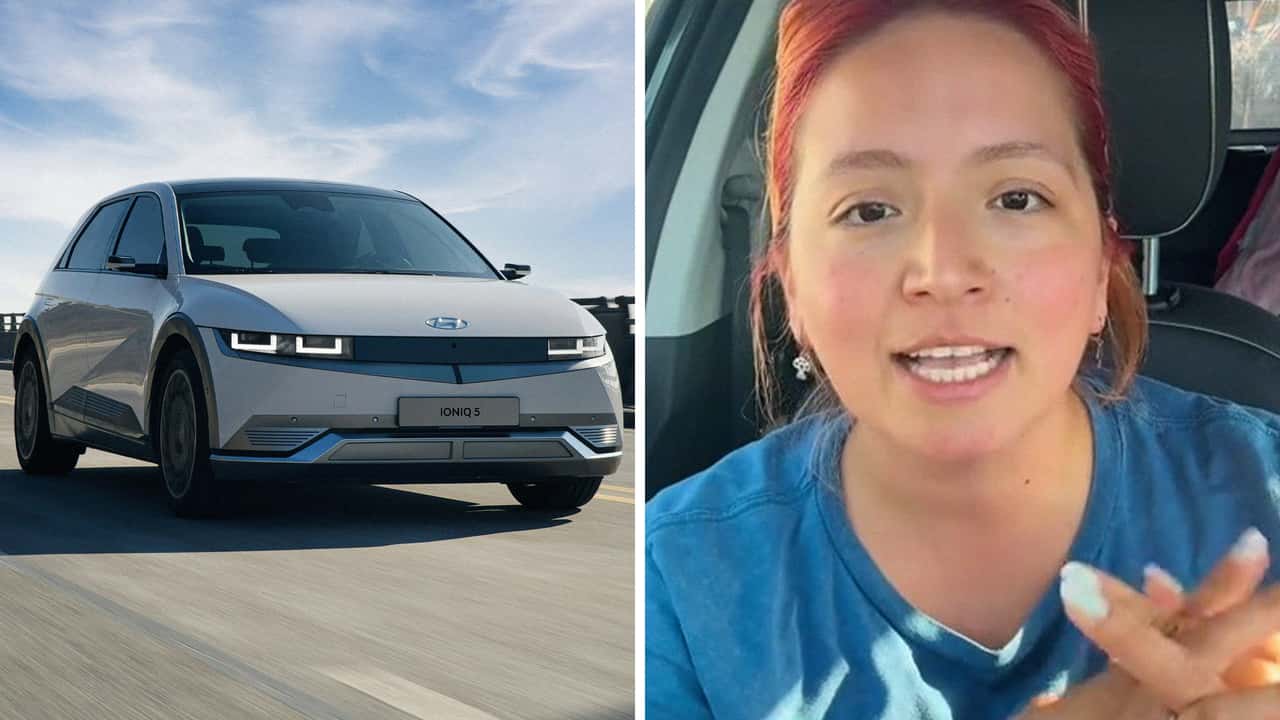

When the temperature rises, many electric vehicle owners want to leave the air running while they step away. But one Hyundai Ioniq 5 driver says the car’s refusal to lock while idling—and a puzzling auto-lock quirk—has her second-guessing the system’s design.
In her TikTok video, Ioniq 5 owner Jenny (@jennyyyy8675309) shares a frustration that’ll sound familiar to many EV drivers in hot climates: Wanting to leave the air conditioning running while briefly stepping away from the car. But according to her, the vehicle refuses to lock when the car is on, even with the key fob in hand.
“I just want to keep the car cold,” she says, describing the common routine of leaving the car running during school pickup or a quick errand. “This car won’t let me do that, and I don’t like that.”
Ioniq 5 What the Hyundai Manual (and Experts) Say
This behavior appears to be intentional. Hyundai vehicles, including the Ioniq 5, typically won’t allow remote locking when the power is on, a safety measure designed to prevent drivers from accidentally leaving a running vehicle unattended. While some models include a “Utility Mode” that keeps electronics and climate running without enabling drive mode, this feature must be manually activated and doesn’t allow the car to be locked from the outside.
Other EVs offer different approaches. Tesla, for instance, includes a “Camp Mode” and “Dog Mode” that maintain cabin temperature with the vehicle locked, displaying a message on the screen to reassure passersby.
But there is a workaround: Anyone who has the Hyundai BlueLink Smartphone app can remotely start the climate and set it to their desired temperature, all while keeping the car locked (which can also be done via the app.)

Similar complaints appear across forums like IoniqForum.com and Reddit threads, where users explore workarounds like key fob hacks or tethered phone apps to control cabin settings remotely.
FROM THE TRENDING NEWS DESK
Viral bits from across the social media landscape
Our team of experts tracks what's trending so you don't have to—from viral videos to online debates that have everyone talking.
Self-Locking Concerns
Near the end of the video, Jenny hints at something she finds more troubling.
“There’s another thing about this car that’s potentially dangerous,” she says. “And I don’t want to talk about it—I want to show you.”
She proceeds to shut off the car, retrieve her keys, open the driver’s door, and then closes it. As she does, the vehicle emits an audible locking sound. She doesn’t explain further, but the implication seems clear: The car locked itself while she was still inside with the keys.
Most modern vehicles include safeguards to prevent accidental lockouts, especially with proximity key systems. Hyundai’s Smart Key system, in particular, is designed to detect if the key is still inside the vehicle and should not allow locking in those cases.
A commenter on the video indicates this may have had something to do with the car's auto-lock settings, which Jenny thanked them for; in other words, make sure to scroll through the menus if this is a thing that happens to your EV sometimes.
Learning Curves and Communication Gaps
The Ioniq 5 is widely praised for its futuristic styling and tech-forward platform. However, like many EVs on the market, it comes with systems that behave differently from those in legacy cars, and these differences can sometimes lead to confusion or concern.
As more drivers turn to TikTok, Reddit, and YouTube to share unexpected vehicle behavior, the gap between real-world use and feature documentation becomes more obvious. Automakers have invested heavily in building intuitive, software-heavy experiences, but not always in clearly communicating how those systems work.
Inside EVs reached out to Jenny via direct message.

RECOMMENDED FOR YOU

The Best EV Lease And Finance Deals In June 2026
This Chinese SUV Sold 100,000 Units In Seven Months For A Good Reason
I Took A Hyundai Ioniq 5 EV On A Roadtrip. It Made Gas Feel Financially Irresponsible
VIDEO: The New Xiaomi SU7 Is Very Much Ready For Europe
I Love EVs, But Kia and Hyundai Are Making That Harder
Is The $25K Slate Truck Just Too Basic? I Rode In One To Find Out.
These EVs Have The Highest Claimed Charging Power In 2026