
Tesla Expert Compares Used Models. Then He Reveals the One Key Distinction All New Buyers Need to Know Before Purchase
‘He’s spot on.’
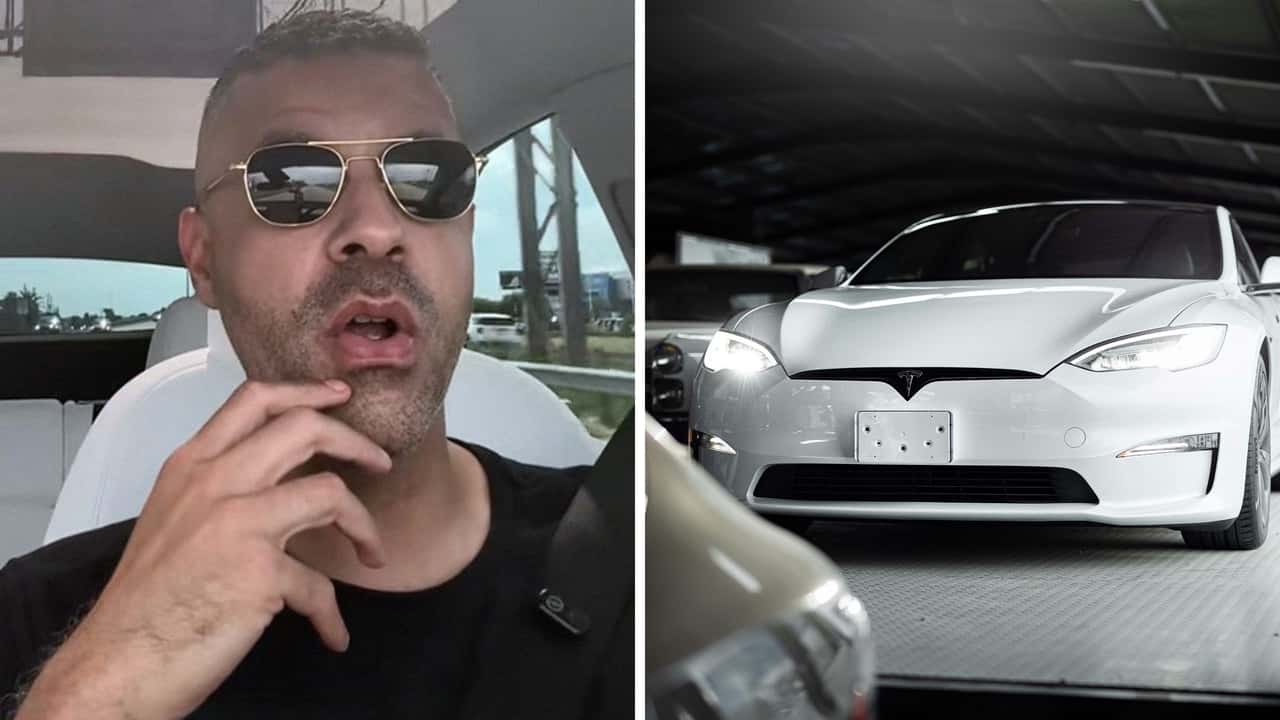

Buying a used Tesla? A knowledgeable electric vehicle expert warns buyers: Don’t assume the tech is future-proof.
Online creator Matt Wallace (@mattwallacetech) acknowledges in a recent TikTok clip that Tesla’s vehicles may look mostly identical from the outside. But inside, key components like the Full Self-Driving computer make all the difference, and unless you know where to look, you could end up overpaying for a feature that doesn't work as expected.
While driving what appears to be a brand-new Tesla Model Y, Wallace responds to a recent subscriber question about his tips and safeguards for buying a used Tesla.
“If you are going to buy a used Tesla and you are adamant about using full self-driving, buy a Hardware 4 car. Do not buy one that has Hardware 3,” he cautions at the start of the video.
Tesla Hardware 3 vs. Hardware 4: Buyer Beware
Tesla’s driver-assistance features are powered by an onboard Full Self-Driving (FSD) computer that has evolved. Hardware 3 (also known as FSD Computer 1) began shipping in 2019 and included custom Tesla-designed chips to support features like Navigate on Autopilot and Traffic Light and Stop Sign Control.
In early 2023, Tesla began quietly transitioning new vehicles to Hardware 4, a next-generation platform with faster processing, a new camera suite, and improved safety features. While Tesla hasn’t released detailed specs, teardown videos and regulatory filings show increased computing power and added radar support.
Wallace, who says he owns a Hardware 4-equipped Tesla, notes a clear performance gap: “My car with Hardware 4 and Full Self-Driving is fantastic… It’s very hands-off. Hardware 3? Not so much.”
FROM THE TRENDING NEWS DESK
Viral bits from across the social media landscape
Our team of experts tracks what's trending so you don't have to—from viral videos to online debates that have everyone talking.
While Hardware 3 can still run Tesla’s current FSD Beta software, owners have reported slower updates, weaker performance in urban environments, and uncertainty about long-term support. Some speculate that Hardware 3 may be nearing the end of its useful lifespan, even for drivers who paid thousands for FSD.
Now Trending
Tesla previously offered free Hardware 3 retrofits for vehicles with older Autopilot computers that had purchased the FSD package, but Tesla has not extended this offer to Hardware 3 owners hoping to upgrade to Hardware 4.
How To Tell the Difference Between Hardware 3 and Hardware 4 on Tesla
Wallace said it’s simple to tell if a Tesla has Hardware 4: Check the car’s onboard display before buying. Navigate to: Controls → Software.
From there, the screen will display the vehicle’s Full Self-Driving Computer version and whether the FSD package is active. He said if the main screen doesn’t say “Full Self-Driving included,” then it’s a no-buy situation.
This is especially important when buying from third-party dealerships or private sellers, where confusion can be common. Some ads may describe a vehicle as “FSD-capable” or “FSD-equipped” when in fact it’s only eligible for a $99–$199/month subscription, or not included in the package at all.
Tesla’s support page notes that FSD subscriptions are tied to the vehicle and its software version, and may not transfer with the car if the buyer doesn’t activate the plan during ownership. Tesla’s subscription page explains that features vary by hardware and software version, and that subscription access requires at least Hardware 3.
One of the biggest misunderstandings in the used Tesla market, according to Wallace, is that buyers confuse standard Autopilot with the more advanced Full Self-Driving package.
Tesla includes basic Autopilot on all new vehicles, which provides lane centering and adaptive cruise control. But features like Autosteer on city streets, automatic lane changes, Navigate on Autopilot, and traffic light recognition are exclusive to the FSD package.
Autopilot and FSD are distinct systems with very different capabilities, and buyers may be surprised to learn that their “self-driving” Tesla doesn’t do much without an upgrade.
Inside EVs reached out to Wallace via direct message. We’ll be sure to update the page if we get a response.

RECOMMENDED FOR YOU

Absurdly Fast EV Chargers Are Coming To America, But Cars Aren't Ready
Here’s What The Biggest EV Skeptics Want In An Electric Car
Tesla Is Now Testing A Virtual Waitlist For Superchargers
CEO Interview: How Ionna Is Taking On The Tesla Supercharger Network
Scientists Just Discovered A Secret To Make Your EV Battery Live Years Longer
I Played Nintendo Switch In A Chinese EV
The Best Affordable Electric Cars In 2026: Cheap, Reliable Options For Everyone